See where you're working this week
Your roster on the phone: which job you are on each day, when to start and where it is.
On your phone · 4 steps · Updated
Steps
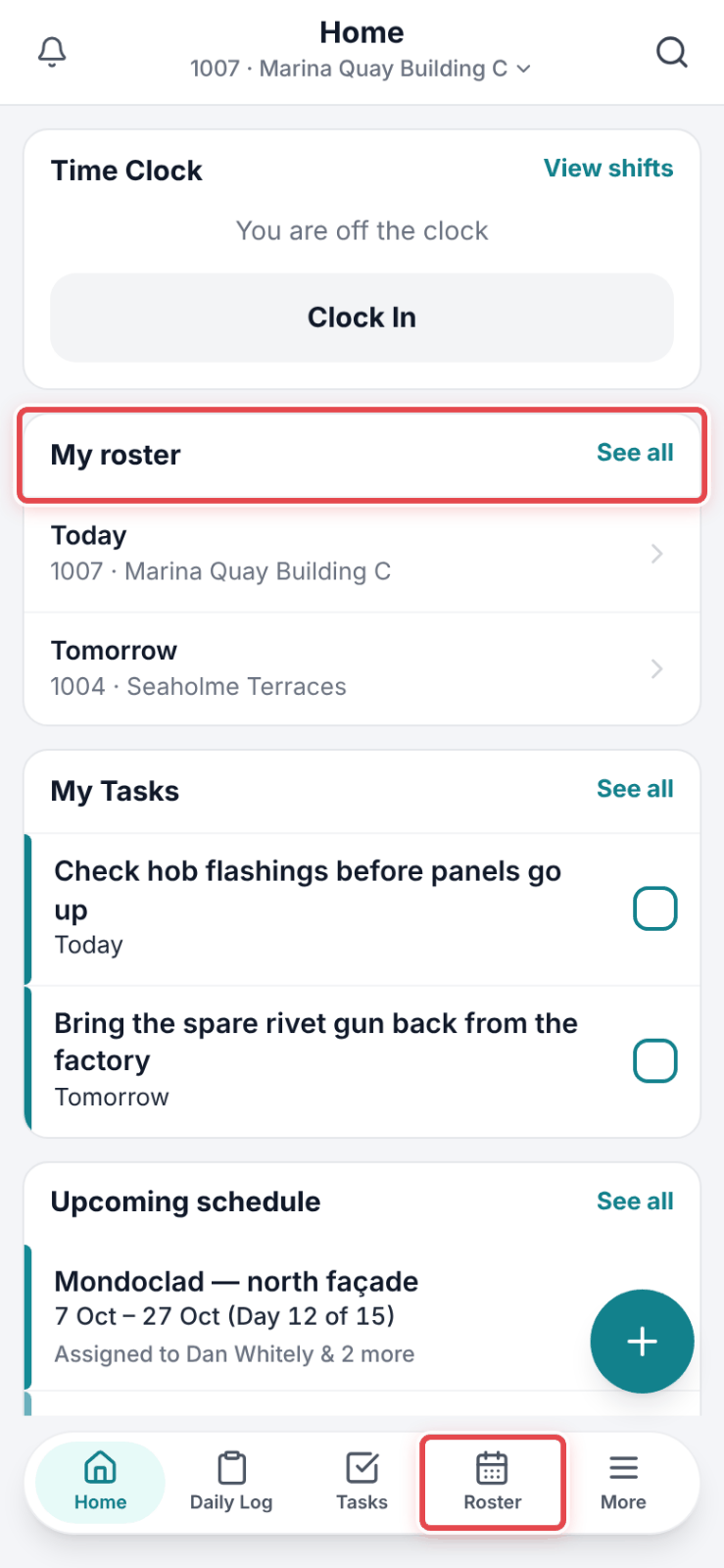
Step 1: On Home, the My roster card shows where you are. Tap See all — or tap Roster in the bar at the bottom.
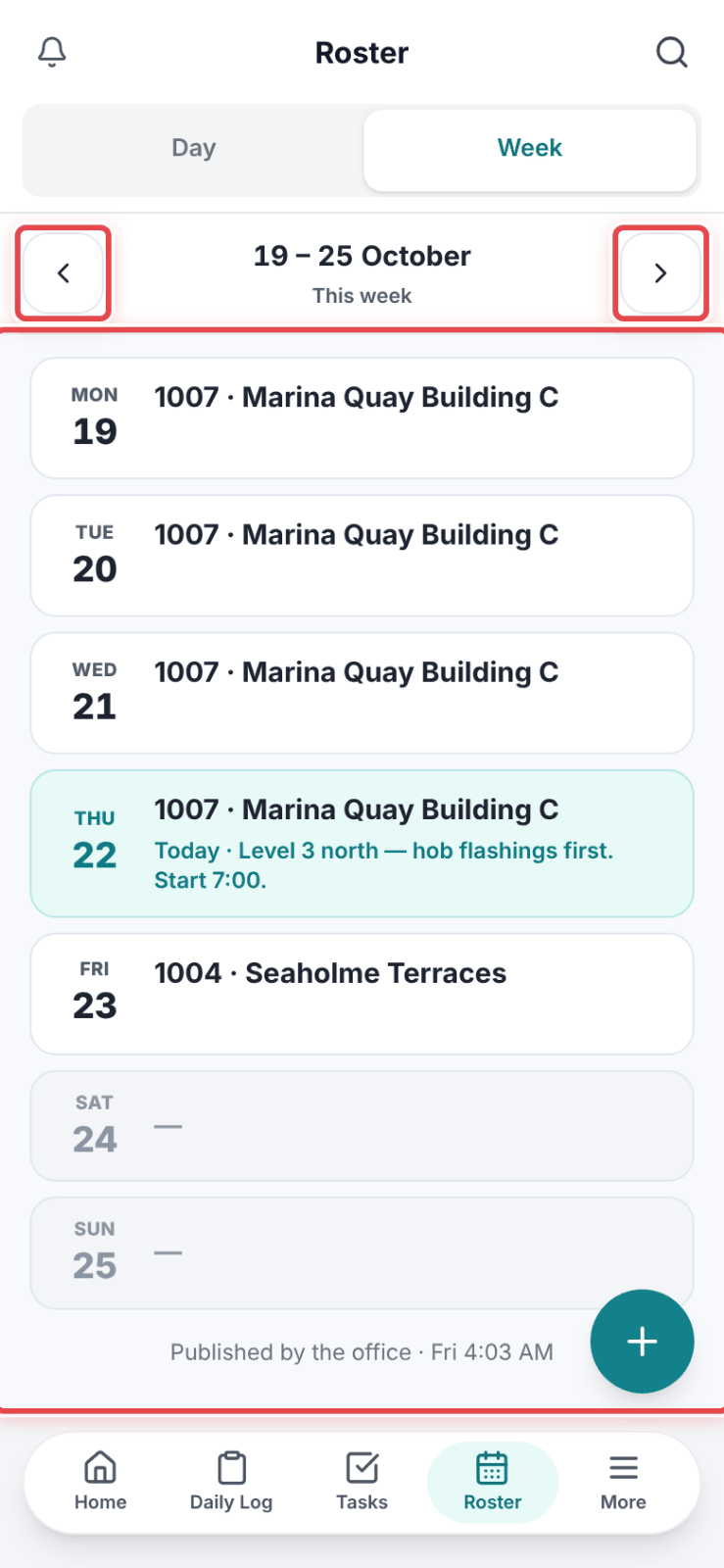
Step 2: Your week shows day by day, with the job you are on. Use the arrows for the previous or next week.
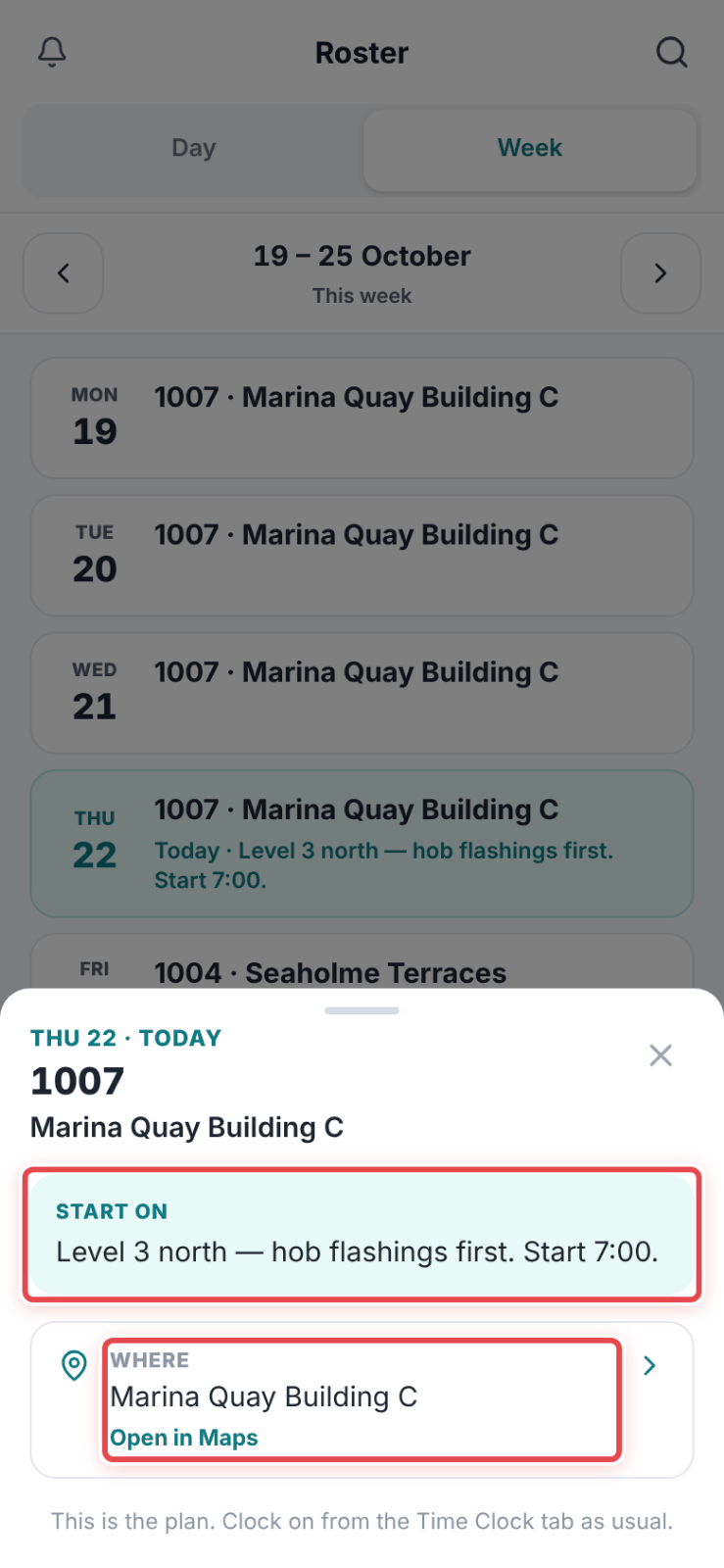
Step 3: Tap a job to see its Start on time and Where.
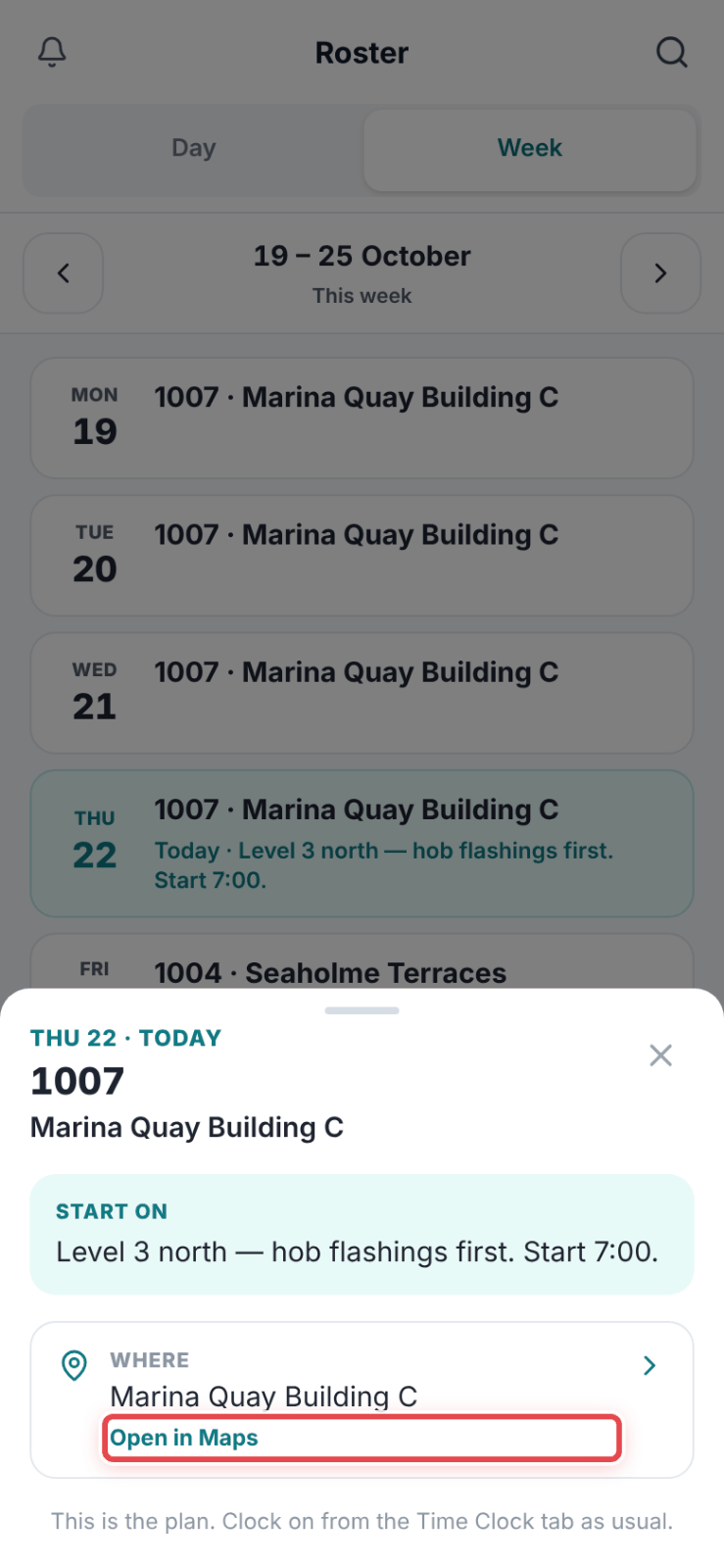
Step 4: Tap Open in Maps for directions to the site.
Good to know
Note — You see a week once the office has published it.
Important — The roster is read-only. If a day is wrong, ring the office.