Build the programme from the estimate
Turn each priced scope into an activity, with its duration taken from the Cost Sheet.
On a computer · 5 steps · Updated
Steps
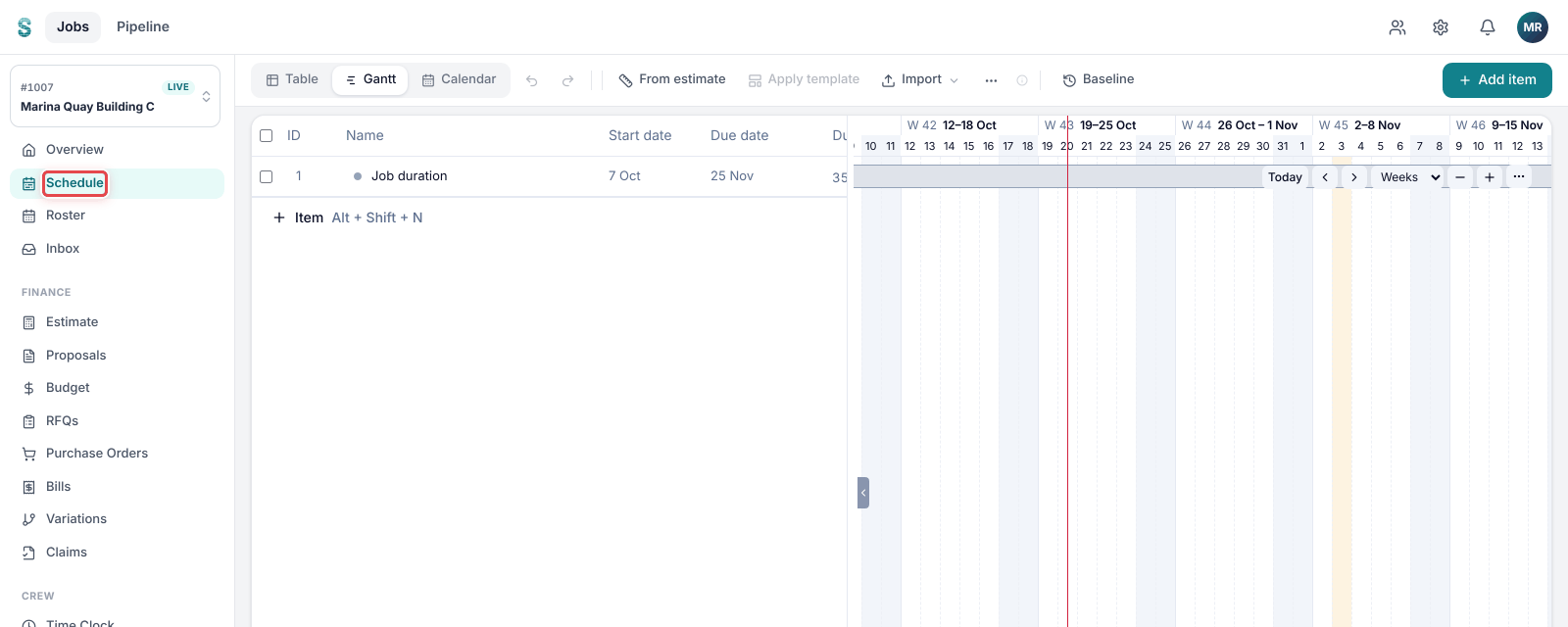
Step 1: Open a job, then go to Schedule.
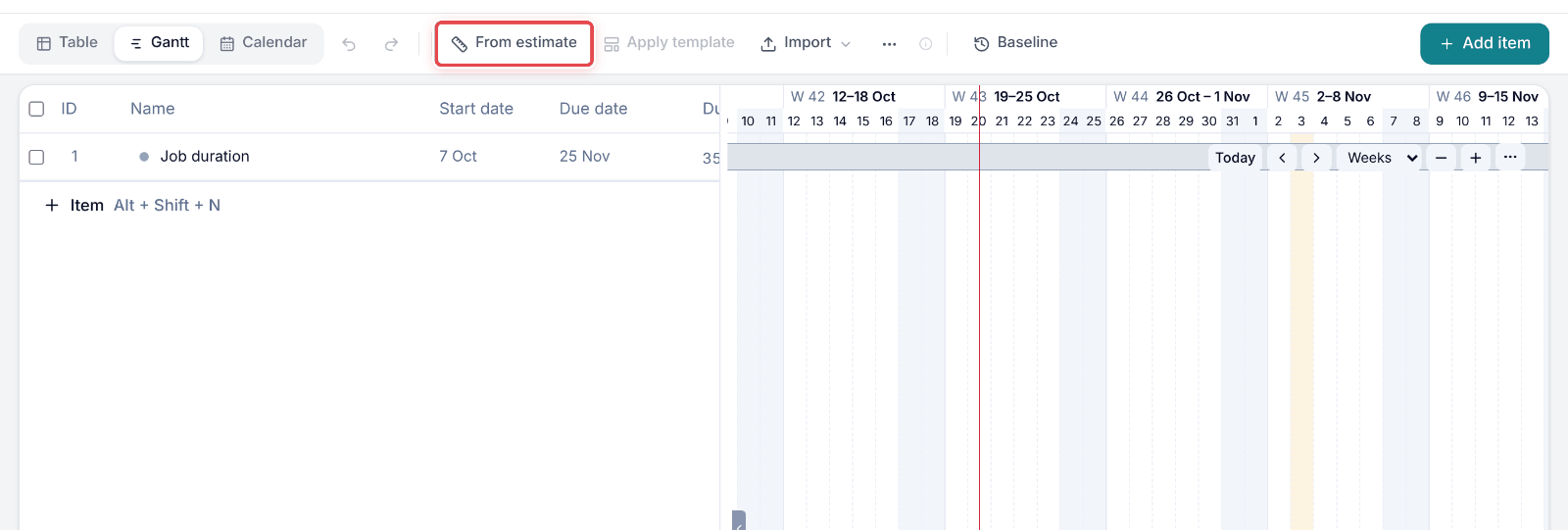
Step 2: Click From estimate in the toolbar.
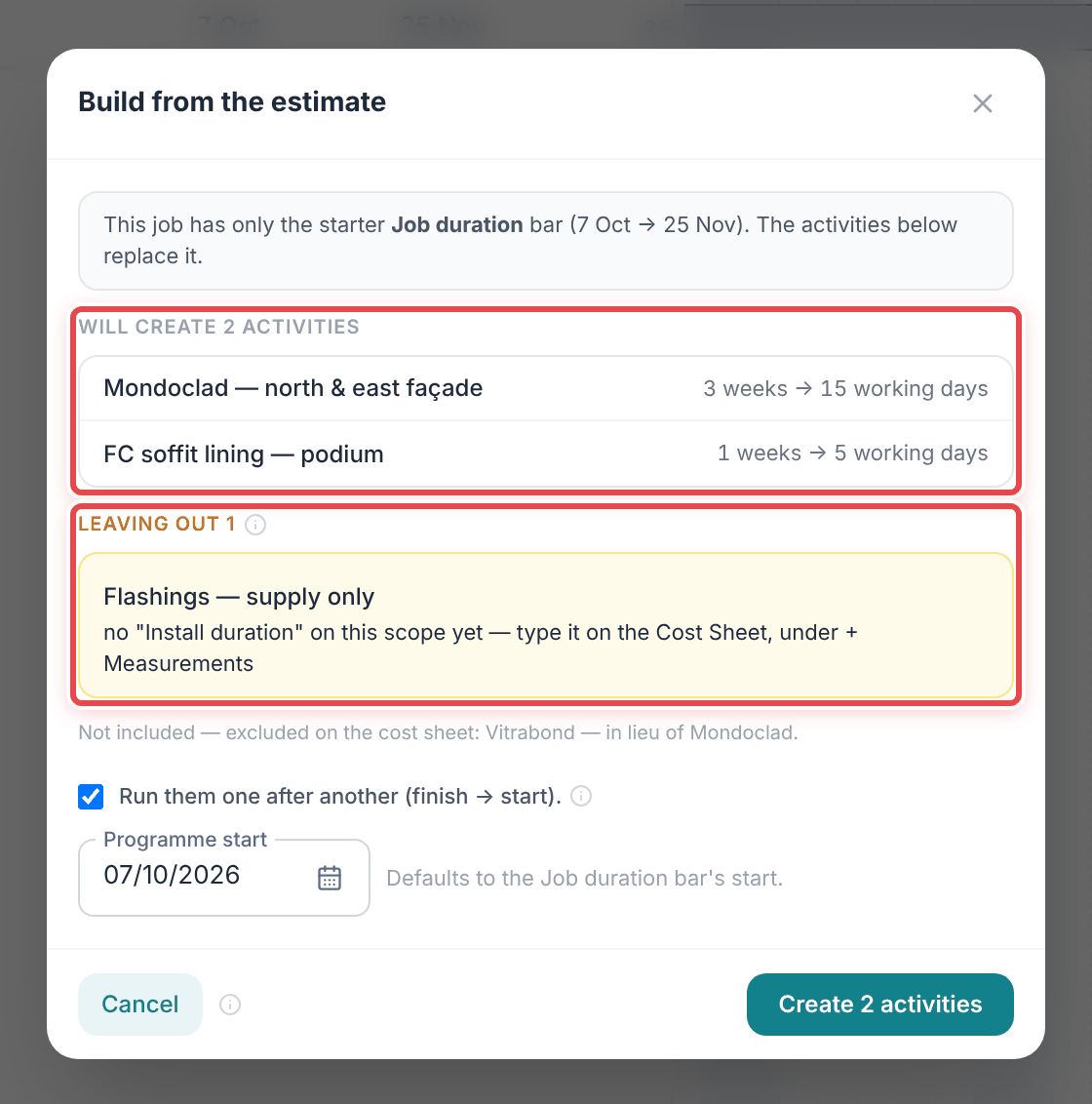
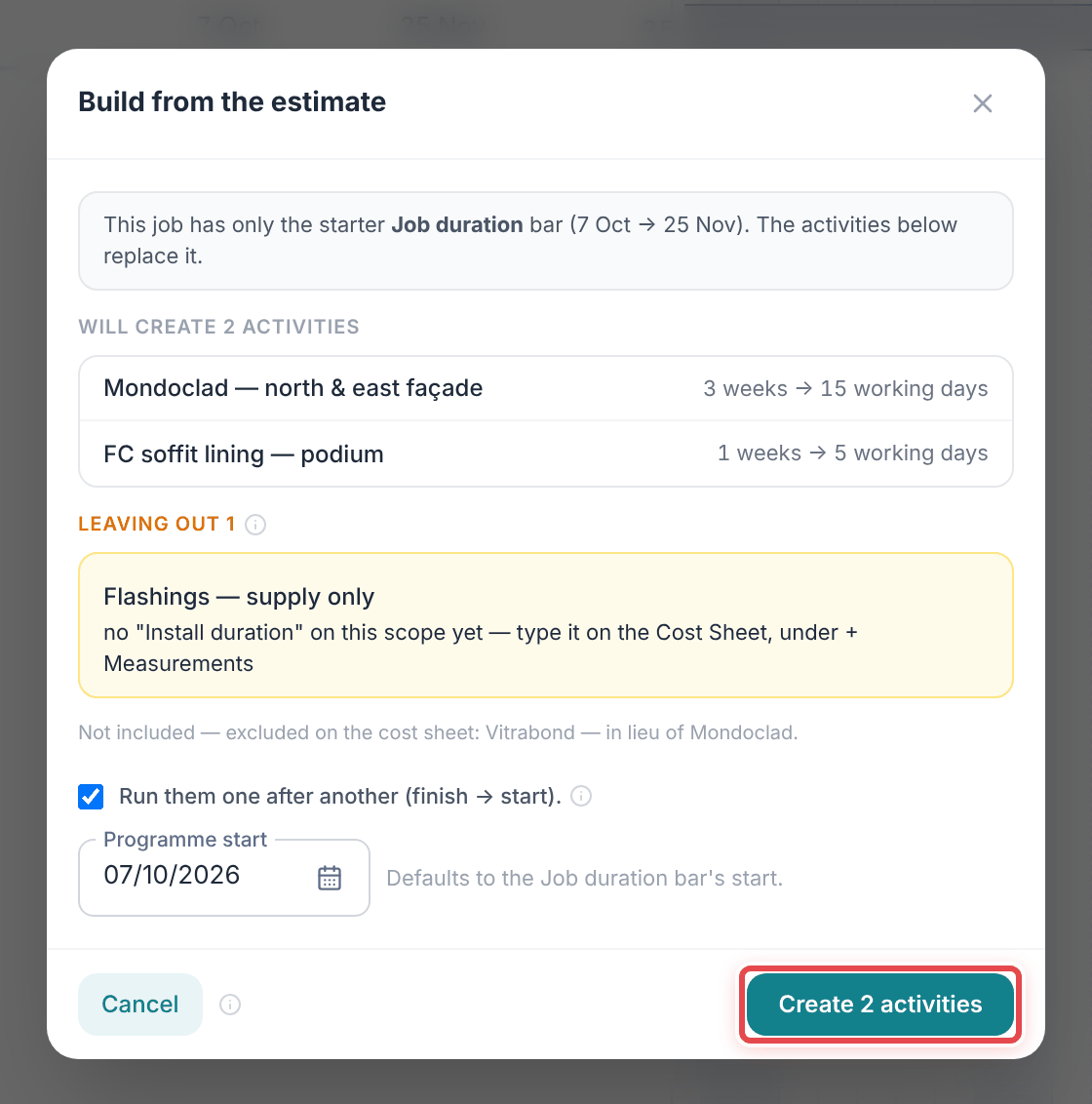
Step 3: Check the list: each scope with an Install duration becomes one activity. Scopes without one are listed under Leaving out.
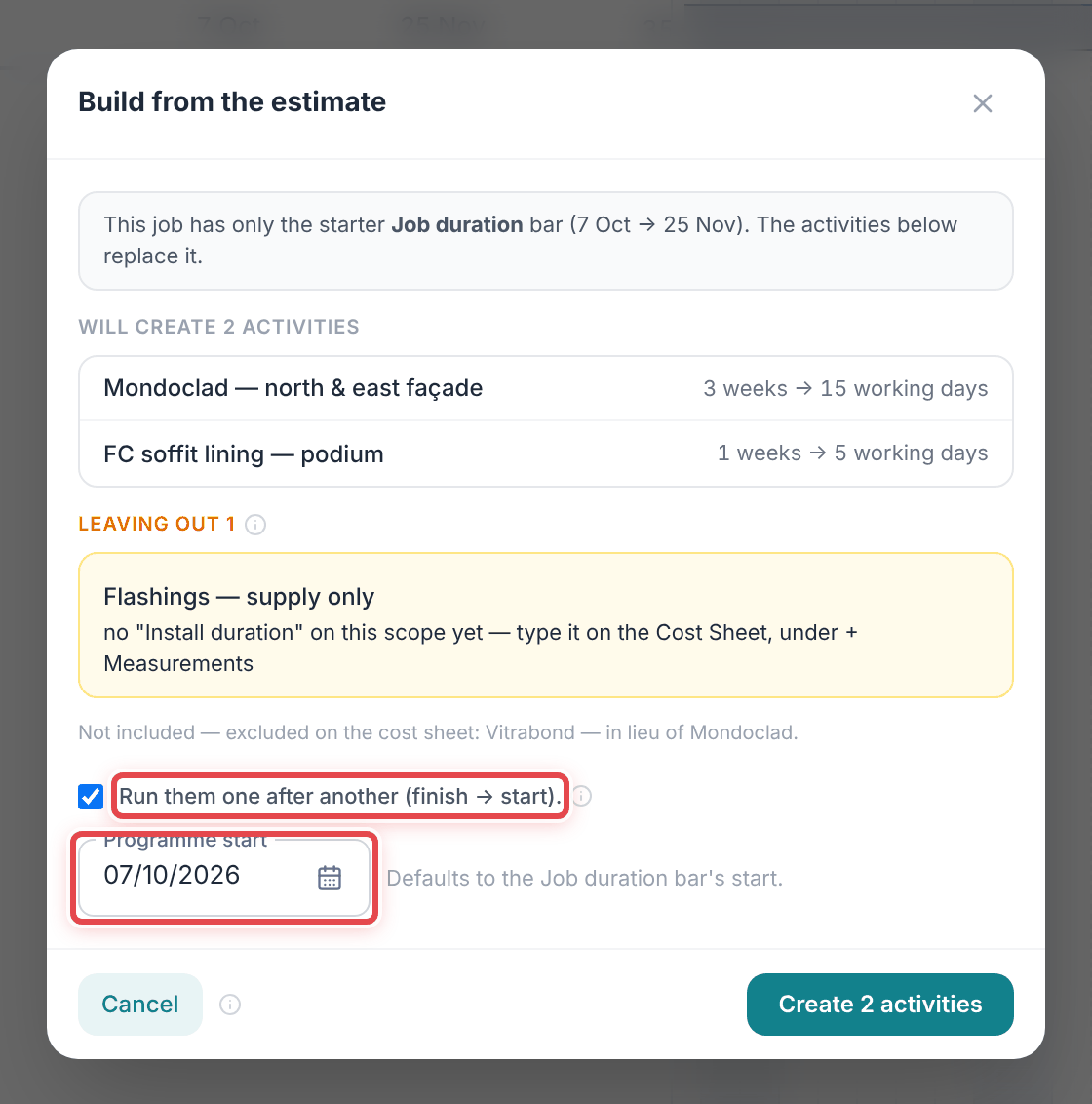
Step 4: Leave Run them one after another ticked if the scopes follow each other, and set the Programme start.
Step 5: Click Create (or Add, when the programme already has items) to put the activities on the programme.
Good to know
Important — A scope with no Install duration is left out, never guessed. Give it one on the Cost Sheet, then run From estimate again — it adds only what is missing.
Note — It is a snapshot: re-pricing the estimate later will not move these dates.