Add an item to the programme
Add activities, sub-items and milestones by hand.
On a computer · 4 steps · Updated
Steps
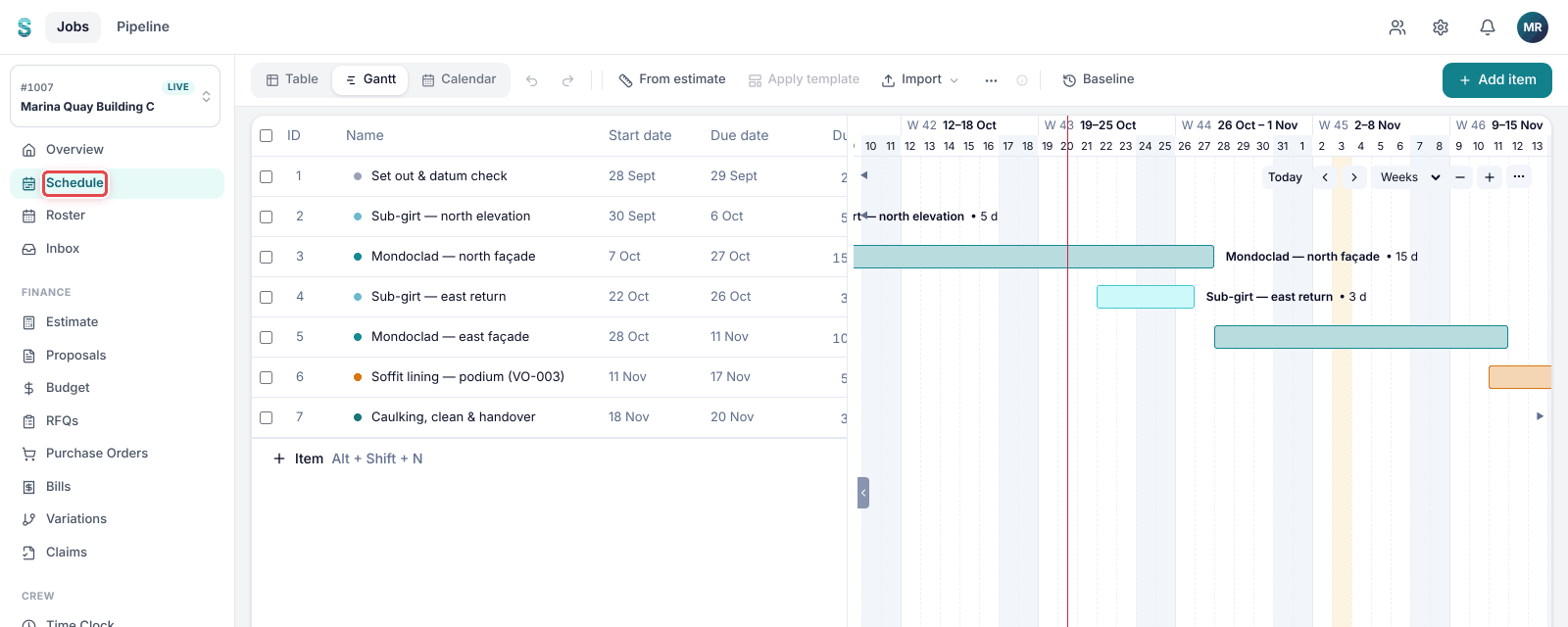
Step 1: Open a job, then go to Schedule.
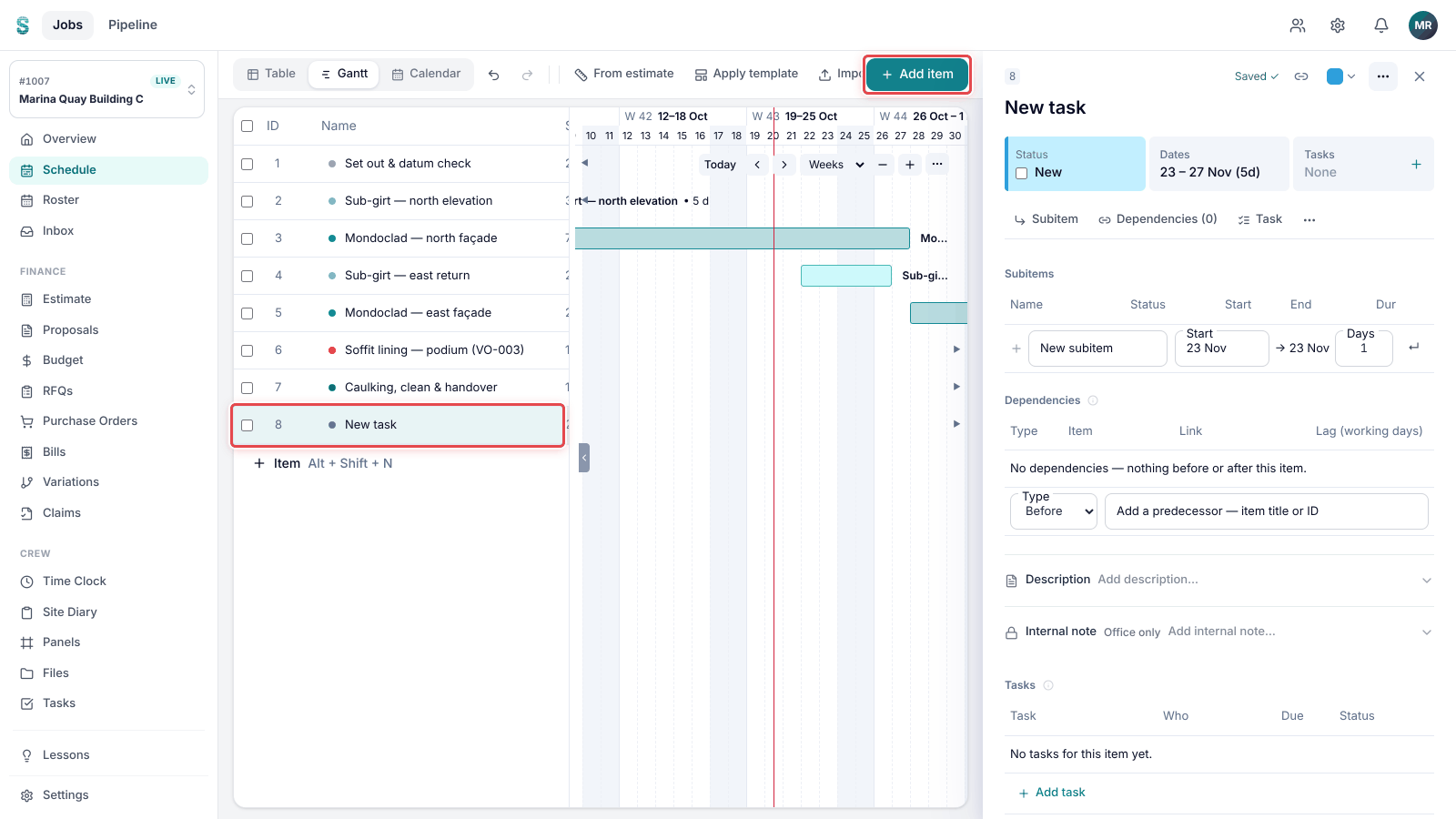
Step 2: Click Add item at the right of the toolbar. A new item is added to the programme.
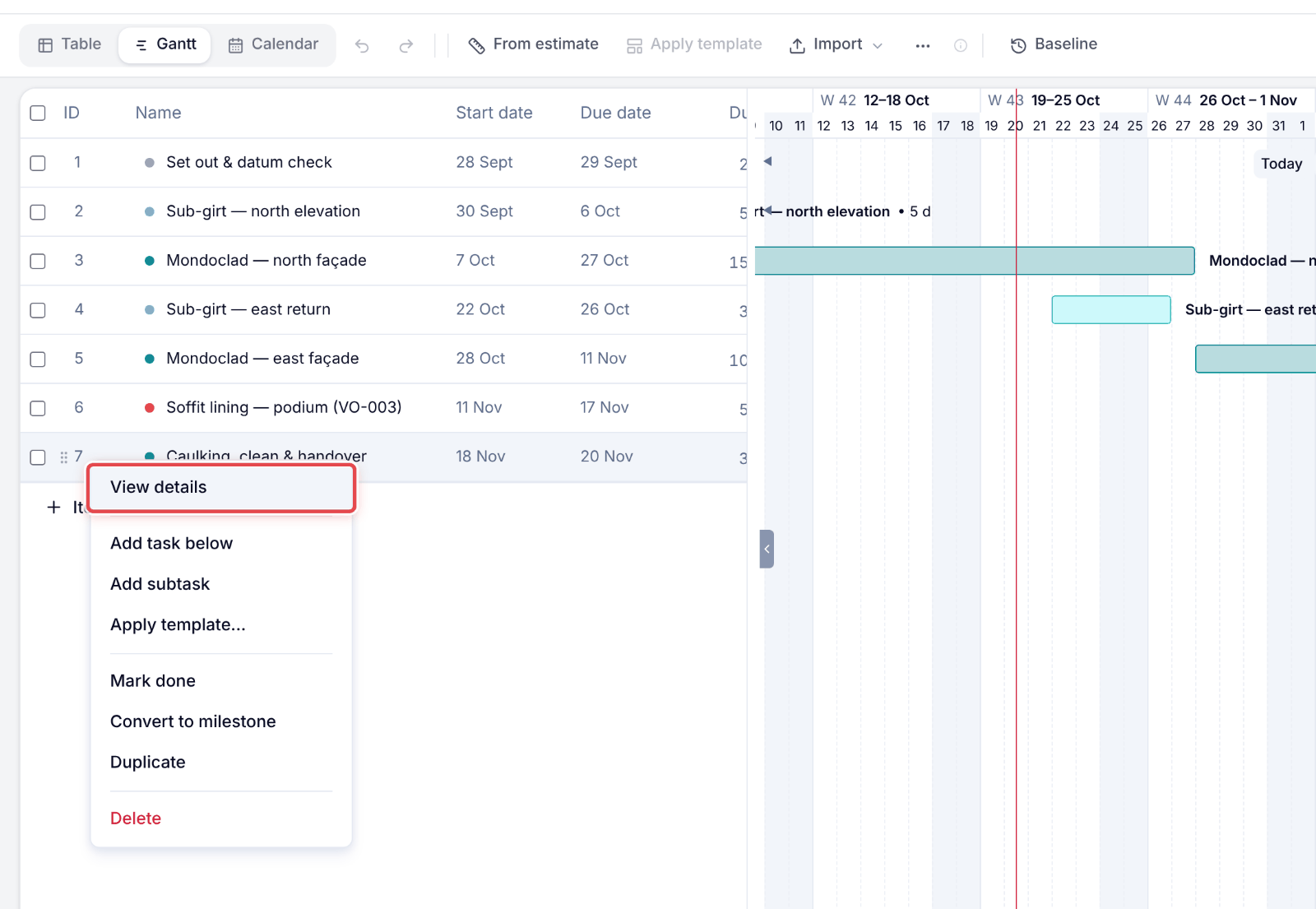
Step 3: Right-click the item and pick View details to name it and set its dates.
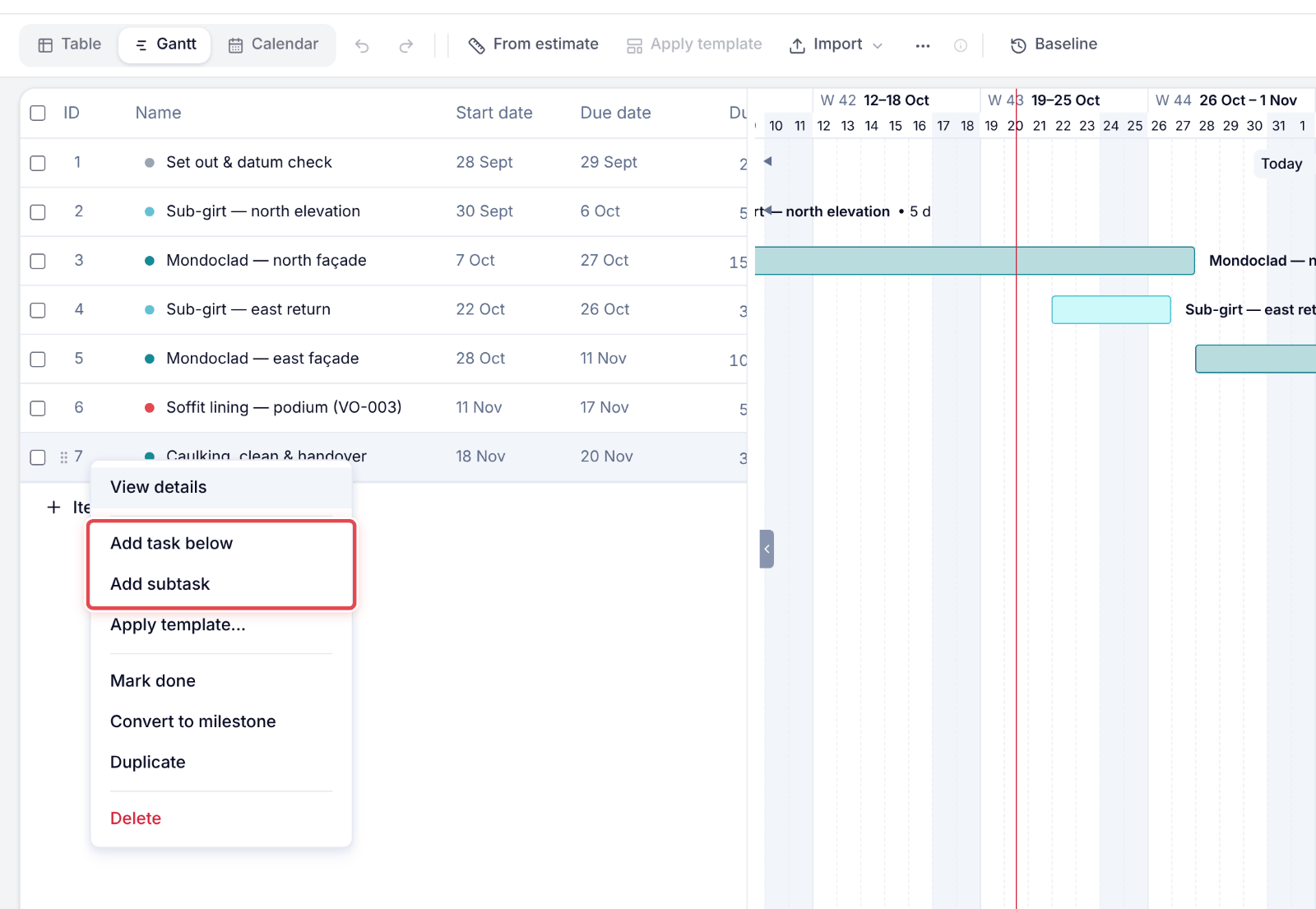
Step 4: For the next item, right-click and pick Add task below; to break it down, pick Add subtask.
Good to know
Tip — A date the builder cares about? Open the ⋯ menu in the toolbar and pick Add milestone.
Note — Every change can be taken back with Undo in the toolbar.